Over the next trip, your phone can cut stress, save money and streamline logistics if you install the right mix of apps: Skyscanner, Hopper and FlightRadar24 for flights; Booking.com, Hostelworld and Airbnb for stays; Google Maps, Rome2Rio and Citymapper for navigation; Google Translate, Duolingo and SayHi for language; Revolut, Wise and XE Currency for money; plus Trail Wallet, TripIt, AllTrails and LoungeBuddy for planning and extras. How to organise your home screen for travel efficiency.

Key Takeaways:
- Streamline flight planning and tracking with Skyscanner and Hopper for deals and FlightRadar24 for live tracking to reduce stress and avoid surprises.
- Keep accommodation options flexible by combining Booking.com, Hostelworld and Airbnb for price, style and last-minute availability.
- Navigate like a local using Google Maps, Rome2Rio and Citymapper for multimodal routes, offline maps and public-transport timing.
- Handle language and money confidently: Google Translate, Duolingo and SayHi for communication; Revolut, Wise and XE for payments and real-time rates.
- Manage budgets, itineraries and extras with Trail Wallet for expenses, TripIt for consolidated plans, AllTrails for outdoor routes and LoungeBuddy for airport comfort.
How to organise your home screen for travel efficiency.
Best Flight Apps
Skyscanner
You can use Skyscanner’s “Everywhere” search and flexible-month calendar to uncover the cheapest routes; it compares hundreds of airlines and OTAs, displays price trends and historical graphs, and sends price alerts so you track fares until the best moment to buy. Frequent features like multi-city search and a clear cheapest-month view help you spot savings across dates and airports without hidden booking fees.
Hopper
Hopper predicts fare movement using historical data and machine learning, offering a straightforward “buy” or “wait” recommendation with push alerts when prices drop; the company claims up to 95% prediction accuracy and lets you add flights to a watchlist or lock fares with its Price Freeze feature before booking.
Hopper analyzes billions of past prices to produce confidence scores and estimated savings, and its calendar heatmap highlights the cheapest travel windows so you can plan around low-demand dates; you can book in-app, opt into price protections in some markets, and use its recommendations to time purchases on peak-season or high-demand routes to shave potentially hundreds from a ticket.
How to organise your home screen for travel efficiency.
Accommodation Apps
Use accommodation apps to compare millions of places quickly: filter by free cancellation, breakfast, Wi‑Fi, entire‑home options and nightly price; the map view reveals exact neighbourhoods so you avoid noisy blocks, and price calendars plus push alerts help you spot weekday deals or last‑minute drops-long‑stay discounts of 10-30% are common on many platforms.
Booking.com
Booking.com lists over 28 million properties worldwide, covering hotels, apartments and B&Bs; you can toggle free‑cancellation and pay‑later rates, sort by guest score, and use the map + price calendar to compare neighbourhoods-its Genius loyalty tier typically unlocks ~10% off and occasional perks like free breakfast or late checkout.
Airbnb
Airbnb offers over 6 million listings across 220+ countries and excels at unique stays and local experiences; you can filter by Superhost, Instant Book, entire‑place and guest‑ratings, view the full price breakdown before booking, and book Experiences to pair accommodation with guided activities.
Before you book on Airbnb, check the host’s response rate and read the last 10 reviews for accuracy; message hosts to confirm Wi‑Fi speeds or workspace quality, note that cleaning and service fees typically add around 10-15% to the nightly total, and look for monthly discounts when staying 28+ nights to cut costs.
How to organise your home screen for travel efficiency.
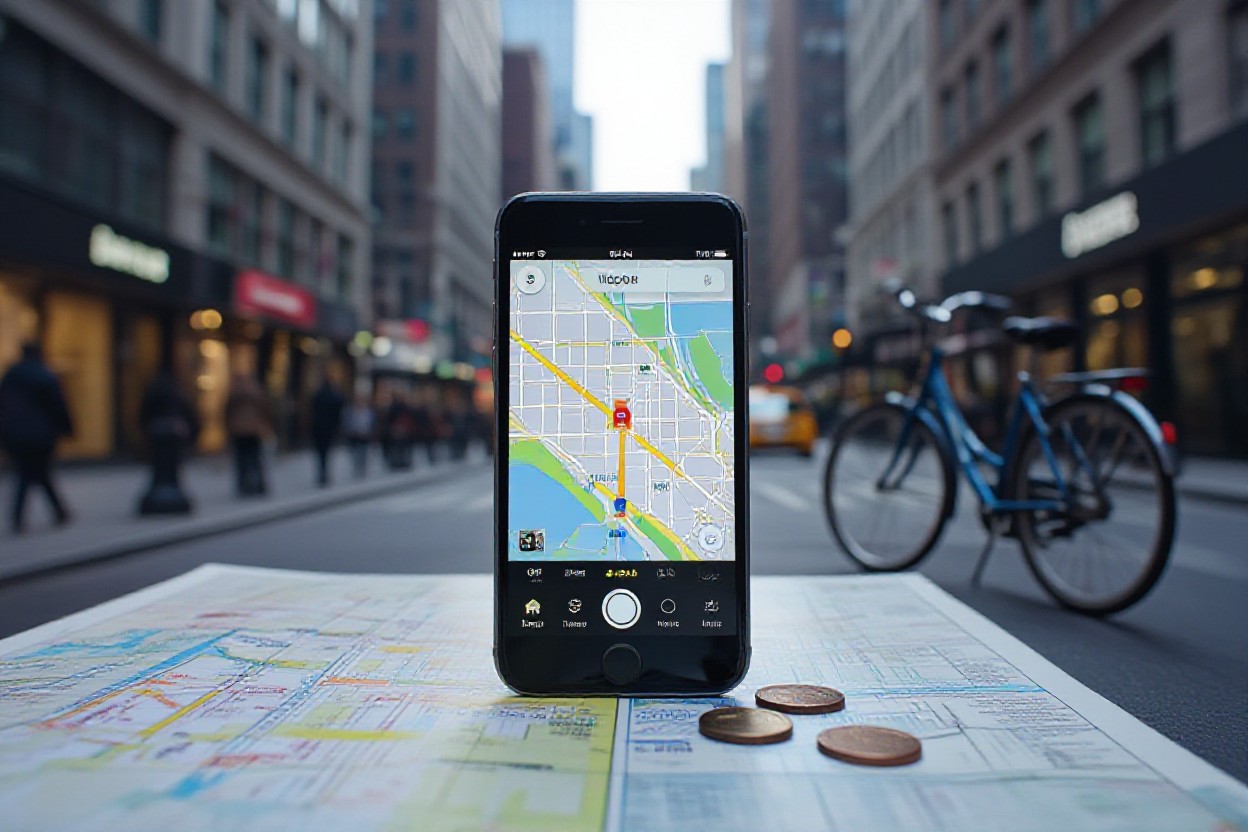
Navigation & Local Transport
You’ll want apps that combine offline maps, live departures and multimodal planning so transfers don’t eat your itinerary; using planners and real-time feeds can cut transfer times by 10-30 minutes and avoid costly taxis. Prioritise tools that show fares, disruptions and step‑by‑step walking directions so you can move from station to accommodation without guessing.
Google Maps
You can download offline areas, use Live View AR for pedestrian guidance and see real‑time transit departures across 220+ countries and territories; it also estimates driving ETA with traffic, shows indoor maps for major airports and malls, and lists wheelchair‑accessible and bike routes so you pick the fastest or most convenient option.
Citymapper
You get hyperlocal trip planning in 100+ cities with live departures, disruption alerts, cost and time comparisons across metro, bus, bike‑share and rideshares, plus step‑by‑step “Go” navigation; it often shows shortest door‑to‑door options and integrates local ticketing or scooter hires where available.
In cities like London and New York City Citymapper pulls TfL and MTA live data to reroute you around delays, displays live bike‑share availability in Paris and Berlin, and gives precise transfer walking times – practical when you have a train connection and only 8-12 minutes to change platforms.
How to organise your home screen for travel efficiency.
Language & Translation
You should carry one instant translator and one learning app: the translator solves menus, signs and chats on the spot, while the learning app builds phrase recall so you waste less time in exchanges; together they cut confusion, save data with offline packs and turn a few minutes of prep into smoother days abroad.
Google Translate
You can translate text, handwriting, speech and images in seconds: camera mode handles over 100 languages for menus and signs, offline packs (about 59 languages) save roaming data, and conversation mode offers two-way speech translation for quick chats with locals – ideal when you need a literal translation at a kiosk or station.
Duolingo
You’ll use Duolingo to learn practical travel phrases via bite-sized lessons (typically 5-10 minutes), gamified drills and reminders; it offers 40+ language courses including Spanish, French and Japanese, so you can build basic speaking and listening skills before you land.
Focus Duolingo on concrete travel goals: complete daily 10-minute sessions for two weeks to lock in numbers, directions and ordering phrases, use “Stories” for real dialogues and the timed practice to boost recall – this approach gets you comfortable asking for trains, prices and simple directions fast.
How to organise your home screen for travel efficiency.
Money & Payment
When you travel, apps that combine multi‑currency accounts, transparent exchange rates and instant card controls will cut costs and stress; use them to dodge poor airport rates, set spending alerts, split bills in‑app and link to budgeting tools so you always know whether to withdraw cash or pay by card in a given country.
Revolut
If you prioritise convenience, Revolut gives you a multi‑currency card, disposable virtual cards for safer online purchases, instant push notifications and easy currency swaps at near‑interbank rates; many travellers pair its ATM withdrawals and paid‑plan travel perks with the card to avoid typical 2-3% bank conversion fees on everyday purchases abroad.
Wise
Wise’s borderless account lets you hold 50+ currencies, receive local bank details in about 10 currencies (USD, EUR, GBP, AUD, etc.), and convert at the true mid‑market rate with low, transparent fees, which often makes it much cheaper than sending money through traditional banks or using exchange bureaux.
In practice you’ll get local IBAN/ABA/BSB details to accept transfers without costly intermediaries, use the debit card for contactless payments and ATM withdrawals, and see the exact fee before you convert-for example, converting €1,000 typically costs a few euros depending on the currency pair, making it easier to forecast travel budgets.
How to organise your home screen for travel efficiency.
Safety & Emergency
You’ll want apps that do more than dial emergency services: look for real‑time local alerts, itinerary‑linked monitoring and one‑tap SOS features that share GPS coordinates and context with your trusted contacts. These tools reduce friction during incidents-whether a sudden protest, a health advisory or a missed connection-by pushing location, local emergency numbers and actionable guidance straight to your phone so you can act fast.
bSafe
You can arm bSafe with a one‑tap SOS that sends your GPS location and starts live audio/video streaming to your guardians; its Follow‑Me timer (settable, e.g., 30 minutes) notifies contacts if you don’t check in. Offline fallback shares your last known coordinates, and the app’s silent alarm lets you escalate discreetly when you notice something off while walking alone at night.
Sitata
You should use Sitata for trip‑wide monitoring: it tracks health, security and transport alerts across 190+ countries and pushes region‑specific warnings to your itinerary. The app flags disease outbreaks, strikes and natural disasters, and couples automated alerts with 24/7 access to human support so you get timely, situational advice if conditions shift.
In practice, Sitata links to your bookings and continuously scans aviation notices, government advisories and local reports; if your flight is disrupted it can surface alternative routings and entry requirements, and lets you message their support team for rebooking guidance-saving you potentially hours of phone hold time and confusion when plans change.
How to organise your home screen for travel efficiency.
Other Must-Haves
TripIt
TripIt automatically builds a single master itinerary from your confirmation emails-flights, hotels, car hires and tours-so you don’t juggle multiple apps. You can forward tickets to [email protected] or link your inbox; Pro users (about $49/year) get real‑time flight alerts, seat‑change notifications and refund tracking. It syncs with your calendar, shares plans with travel companions, and stores PDFs of tickets for offline access when you’re mid‑trip.
AllTrails
AllTrails catalogs over 200,000 trails in 100+ countries with maps, user reviews, photos and difficulty ratings so you can pick hikes by distance, elevation gain or dog‑friendliness. You can save routes, download offline maps for no‑signal areas, and export GPX files to your GPS device; filters help you surface kid‑friendly or loop hikes within a chosen radius for fast, data‑driven planning.
When you open a trail page you’ll see exact metrics-length, elevation gain and estimated time-alongside dozens of trip reports that often note recent conditions, parking specifics and water availability; that local intel can save hours. Use the Trail Recorder to log your hike, compare pace across segments, and export your track to share with others or import into Strava or Garmin Connect.
How to organise your home screen for travel efficiency.
Final Words
On the whole, equipping your phone with these 20 travel apps empowers you to save money, manage bookings, navigate unfamiliar places, handle payments, and learn languages, reducing stress and giving you control over your itinerary; prioritize a few core apps that match your route and travel style, keep offline copies of key information, and update permissions to protect data. How to organise your home screen for travel efficiency.
FAQ
Q: Which flight apps on the 2026 list are best for finding deals and monitoring real-time status?
A: Skyscanner is ideal for broad fare searches, flexible dates and multi-city comparisons; use its price alerts and “Everywhere” search to spot low-cost routes. Hopper adds machine-learning price predictions and push-notification buy/hold recommendations for specific itineraries. FlightRadar24 provides live flight tracking, gate and delay information and aircraft details – useful for monitoring incoming connections or checking if a flight is on time. Combine a fare-search app (Skyscanner/Hopper) for planning with FlightRadar24 on travel days for up-to-the-minute status.
Q: How should I pick between Booking.com, Hostelworld and Airbnb for different trip styles?
A: Booking.com works well for hotels, last-minute stays and flexible cancellation policies; filter by free cancellation, pay-later and review scores. Hostelworld is tailored to budget and social travellers seeking dorms, private rooms with host reviews and community features. Airbnb fits longer stays, unique homes and local host interaction; check verified ID, reviews and house rules. Match the app to trip needs: short business stays and flexible bookings (Booking.com), budget/social trips (Hostelworld), or local/longer stays and apartments (Airbnb).
Q: Which navigation and local transport apps should I rely on in unfamiliar cities?
A: Google Maps covers driving, walking, biking and downloadable offline maps with local business info and live traffic. Rome2Rio is best for planning multimodal routes between cities (flights, trains, ferries, buses) and comparing travel times and costs. Citymapper focuses on urban public transit with accurate timetables, step-by-step directions, disruption alerts and first/last-mile options in supported cities. Use Google Maps for general navigation, Rome2Rio for intercity planning, and Citymapper for dense-city transit optimization.
Q: What language and translation apps from the list will help me communicate and learn on the go?
A: Google Translate offers instant camera translation, phrasebook sync and offline language packs for quick, on-the-ground translation. Duolingo is a gamified learning tool to build basic vocabulary and phrases before or during travel. SayHi provides fast voice-to-voice translation for conversations with locals and supports multiple dialects and speech speed adjustments. Use Duolingo to prepare, Google Translate for visual and offline needs, and SayHi for real-time spoken exchanges.
Q: How can I manage money, itineraries and extras using the recommended finance and utility apps?
A: Use Revolut or Wise for low-cost currency exchange, fee-free card spending abroad and easy transfers; enable app cards, transaction alerts and 2FA for security. XE Currency provides quick conversions and historical charts for budgeting. TripIt centralizes tickets, reservations and maps by parsing confirmation emails; share itineraries and access offline. Trail Wallet tracks trip expenses by category and currency to control budgets. AllTrails helps plan hikes with trail maps and offline downloads; LoungeBuddy finds airport lounges and access rules. Combine a travel card (Revolut/Wise), currency app (XE), an itinerary manager (TripIt) and an expense tracker (Trail Wallet) to reduce stress and save money while travelling.
How to organise your home screen for travel efficiency.